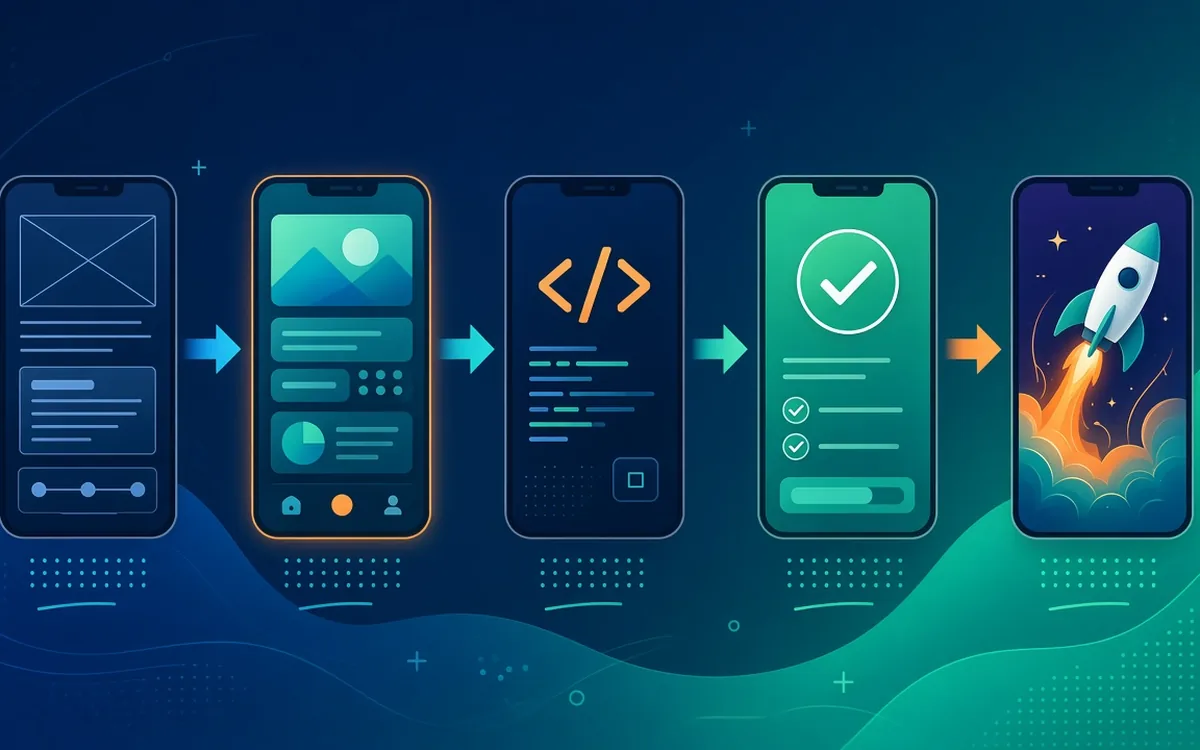
Many business owners and founders have an app idea but little visibility into how apps are actually built. That uncertainty makes it hard to compare quotes, plan budgets or know whether a project is on track. This guide walks through each stage of a typical mobile app project, what happens in it, what you will be asked to provide and the decisions that most affect cost and timeline.
Stage 1: Discovery
Discovery turns an idea into a plan. It usually involves one or more workshops covering:
- Goals: what the app must achieve for your business, and how you will measure success.
- Users: who will use it (customers, staff, partners) and what each type of user needs to do.
- Core features: the must-haves for a first release, separated from nice-to-haves.
- Integrations: payment gateways, maps, WhatsApp, your website, CRM or ERP.
- Constraints: budget range, deadlines, compliance or data requirements.
The output is a written scope: a feature list, user flows, technical approach and a phased estimate. Good discovery often reveals that a smaller first version, a minimum viable product (MVP), can test the idea faster and more cheaply.
What you provide
Your business knowledge, examples of apps you like, any existing brand guidelines and access to the people who understand the processes the app will support.
Stage 2: UX and UI design
Design comes before code because changing a design is far cheaper than changing software. The design stage normally includes:
- User flows and wireframes: simple layouts showing each screen and how users move between them.
- Visual design: colours, typography, icons and components that reflect your brand.
- Clickable prototype: a tappable mock-up you can try on your phone and show to real users before development.
Expect at least one or two rounds of feedback. Testing the prototype with a handful of target users is one of the most valuable things you can do at this point.
Stage 3: Technical architecture
In parallel with design, developers decide how the app will be built:
- Cross-platform or native: Flutter or React Native build Android and iOS from one codebase, which suits most business apps. Native development in Kotlin and Swift suits apps with heavy device or platform-specific needs.
- Back end: the server, database and APIs that store data and handle logic. These are often built with Node.js or PHP/Laravel and MySQL or PostgreSQL, hosted in the cloud.
- Admin panel: a web dashboard for your team to manage users, content, orders or bookings.
- Third-party services: push notifications, analytics, payments, maps and messaging.
Stage 4: Development in sprints
Most teams build in short cycles called sprints, typically one to two weeks. Each sprint delivers a set of working features, demonstrated at the end. You can install test builds on your own phone, give feedback and adjust priorities. That rhythm surfaces problems early, keeps you in control of the budget, and prevents the classic surprise of seeing the app for the first time at the end.
What you provide
Timely feedback on each demo, decisions on open questions and content such as text, images and product data.
Stage 5: Testing and quality assurance
Testing happens throughout development and intensively before launch:
- Functional testing: does every feature work as specified?
- Device testing: different screen sizes, Android versions, iPhones and low-end phones.
- Network testing: slow and unreliable connections, which matters in many regions.
- Security checks: authentication, data storage and API protection.
- User acceptance testing: your team confirms the app is ready for real users.
Stage 6: Launch
Publishing to Google Play and the Apple App Store involves store listings (name, description, screenshots, privacy information), developer accounts in your company's name, and review by Apple and Google, which can request changes. A soft launch to a limited audience is often wise before a wider announcement. Plan your marketing so people know the app exists. Downloads do not happen on their own.
After launch: learning from real users
Once real people use the app, you finally have data instead of assumptions. Set up analytics events for the actions that matter, such as sign-ups, bookings, orders and repeat visits, and watch where users drop off. Read app store reviews and support messages carefully. The most valuable version-two features usually come from this evidence, not from the original wishlist.
Stage 7: Maintenance and growth
An app is never truly finished. Operating systems update every year, libraries need security patches and users ask for improvements. A maintenance plan covers monitoring, bug fixes, compatibility updates and a schedule for new features based on real usage data. Budget for this from the start.
What drives cost and timeline
- Number of screens and user roles (customer, staff, admin, vendor).
- Complexity of business logic, such as bookings, pricing rules or real-time features.
- Integrations with payments, maps, CRM, ERP or legacy systems.
- One platform or two, and cross-platform versus native.
- Design depth: custom illustration and animation versus a clean standard interface.
- Content and data migration.
Because these factors vary so much, reliable estimates come after discovery, not before. Be cautious of fixed prices offered without a detailed conversation.
A realistic view of roles on an app project
Even small app projects involve several kinds of skill. A project lead or product manager keeps scope, priorities and communication on track. A UX/UI designer shapes flows and visuals. Mobile developers build the app itself, while back-end developers create the APIs, database and admin panel. A QA tester checks every release across devices. In a small team one person may cover more than one role, but each responsibility needs an owner. When comparing vendors, ask who covers each role on your project.
How to keep a project on track
Ask for a short written update every week covering what was completed, what is next and any blockers. Install every test build yourself rather than relying on screenshots. Keep a single, prioritised list of changes instead of scattered messages. And make decisions quickly: delayed feedback is one of the most common causes of slipping timelines, on both sides.
Common mistakes to avoid
- Trying to build every feature in version one instead of launching an MVP.
- Skipping prototype testing with real users.
- Leaving app store accounts and code ownership with the vendor.
- Forgetting the admin panel your team will need every day.
- Not budgeting for maintenance and marketing after launch.
Frequently asked questions
Do I need a website as well as an app?
Usually yes. A website helps people discover you through search and explains what the app does. Many businesses start with a fast mobile website and add an app when repeat use justifies it.
Can the app work offline?
Partly. Apps can store data locally and sync when a connection returns, which is valuable for field staff and areas with weak coverage.
Who should own the source code?
You should. Make sure your contract assigns IP to you and that code is stored in your own repository.
Ready to start?
Velozgida builds Android, iOS and cross-platform apps from Srinagar for clients in Kashmir, across India and abroad. See our app development services, learn how to hire dedicated developers, or read our guide on hiring offshore app developers in India. When you are ready, book a free discovery call.